No Bank Login
Track your money without connecting checking, savings, or credit card accounts.
Track expenses, income, bills, savings goals, and debt from one polished desktop dashboard—without connecting your bank account.
Your financial life stays yours. Expense Tracker is built for people who want clarity without handing over bank credentials or paying forever.
Track your money without connecting checking, savings, or credit card accounts.
Purchase once and use Expense Tracker without another recurring fee.
Your budgets and transactions remain stored on your own computer.
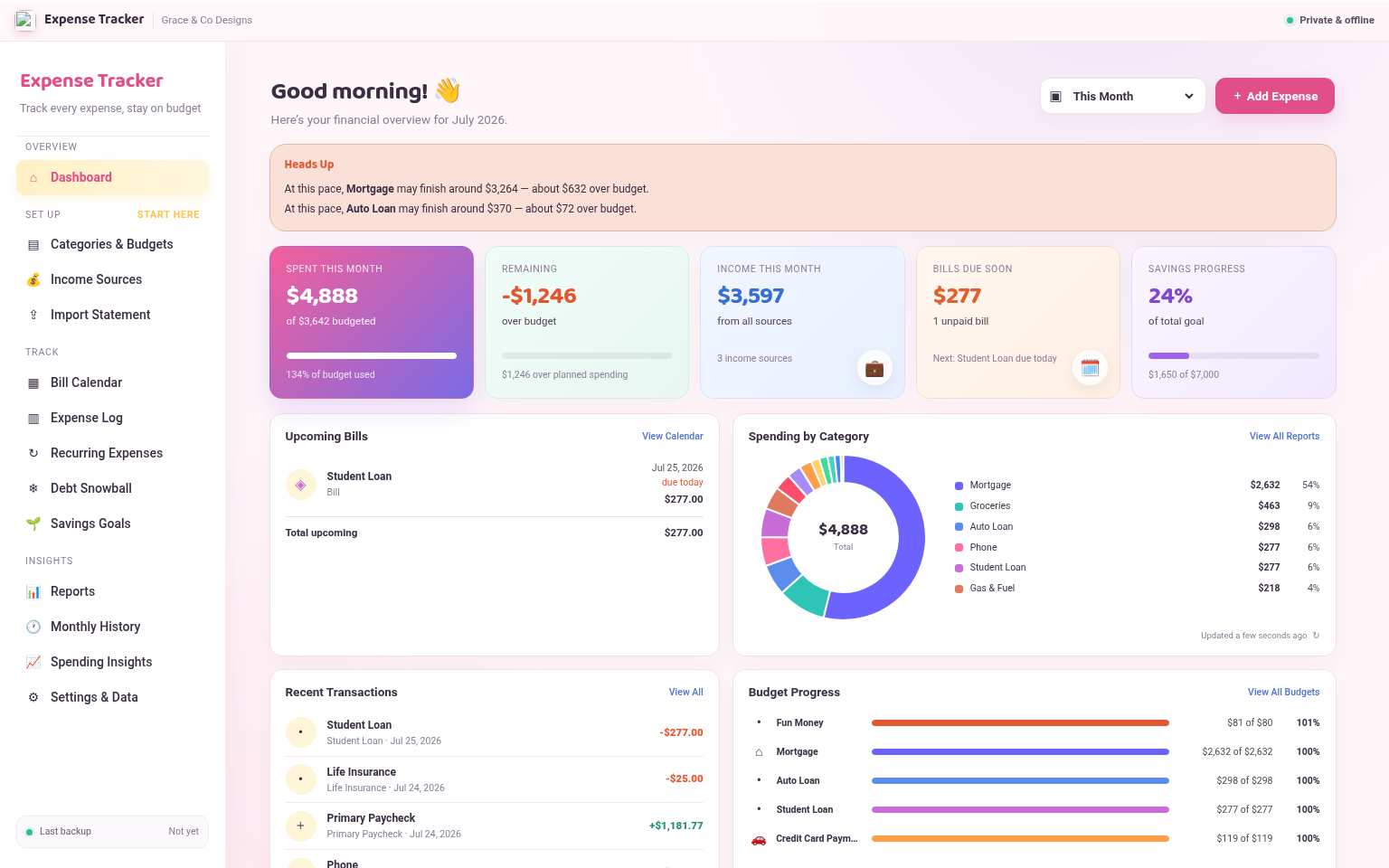
See spending, income, upcoming bills, savings progress, recent transactions, and category budgets from one organized dashboard.
Download for WindowsPractical tools for everyday budgeting, organized into one easy-to-use desktop app.
Build your first budget step by step, including income, categories, recurring bills, savings, and debt.
Import supported CSV, Excel, and PDF statements with duplicate detection and merchant rules.
Organize due dates, recurring expenses, and desktop reminders so bills are easier to plan for.
Track balances and organize payoff priorities using a simple debt snowball planning tool.
Create savings targets, record progress, and keep important goals visible throughout the month.
Review category spending, monthly history, trends, and insights without wrestling with spreadsheets.
Create backups and restore your information using built-in tools that keep you in control of your files.
Find transactions by merchant, category, type, or date and make bulk updates more efficiently.
Keep regular expenses in one place and see how they affect the month before they sneak up on you.
From importing transactions to planning bills, debt, and savings, every section works together.
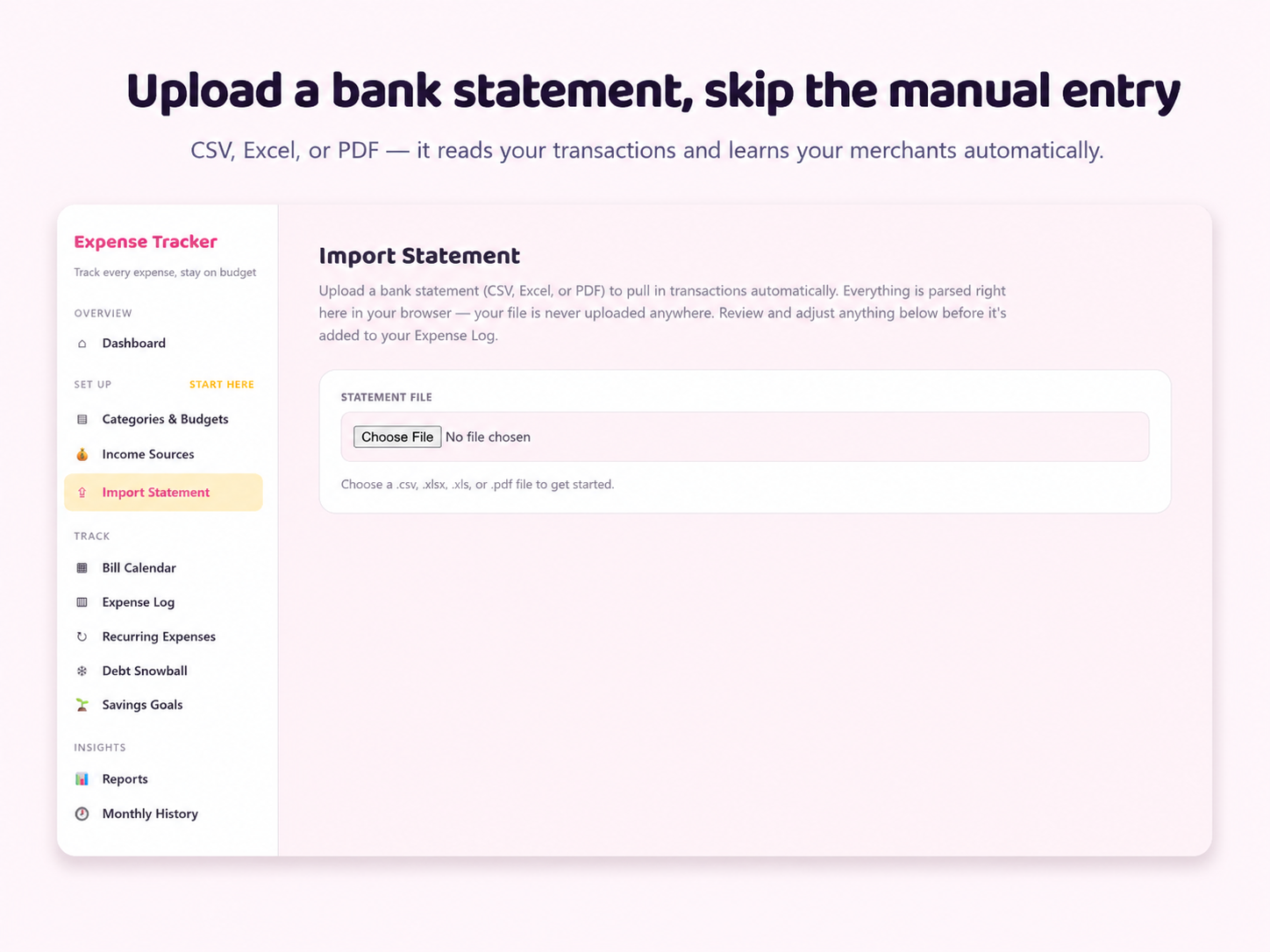
Bring in supported statement files, review transactions, and avoid entering everything by hand.
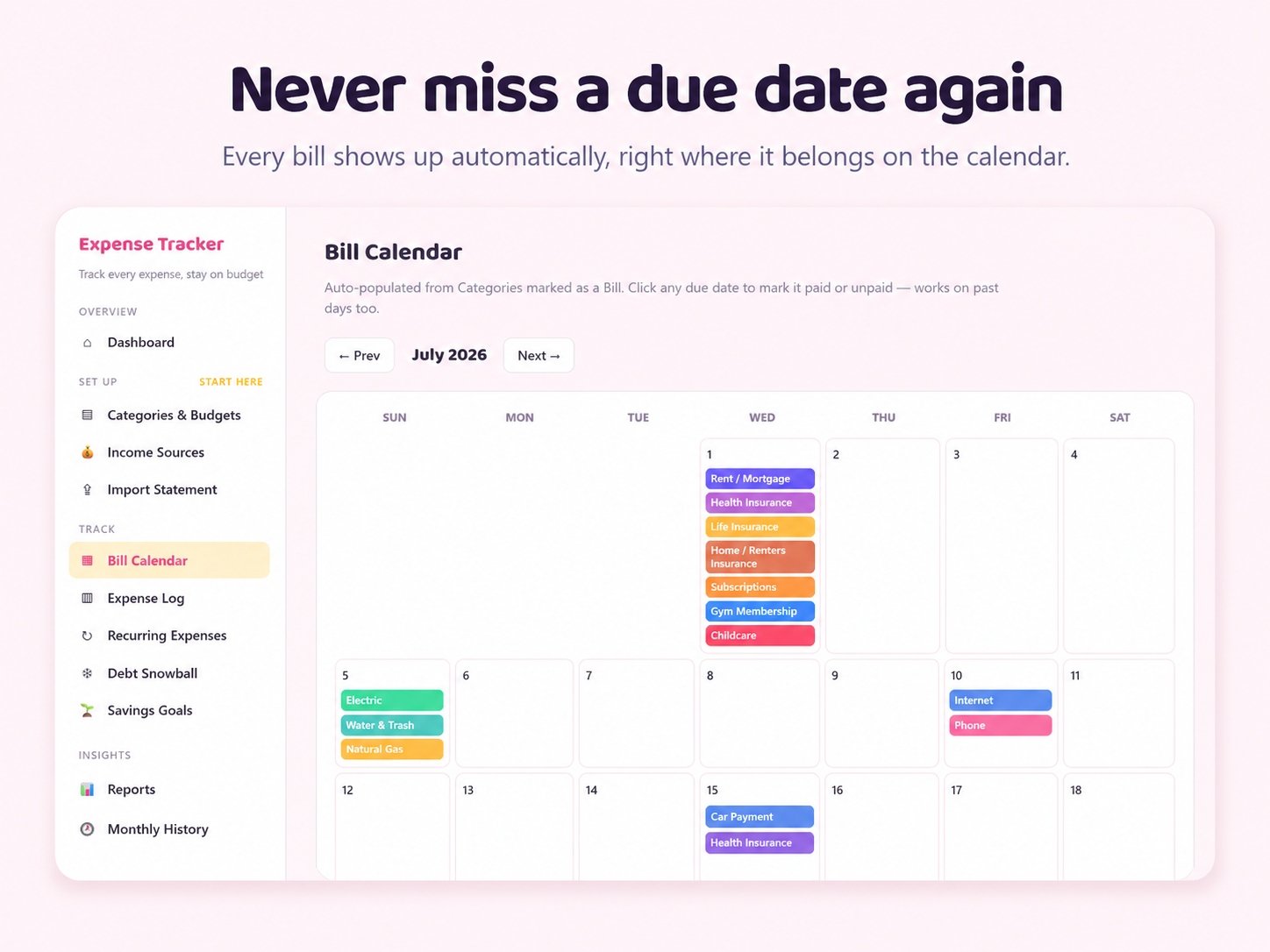
See upcoming due dates and recurring costs in a calendar built for quick planning.
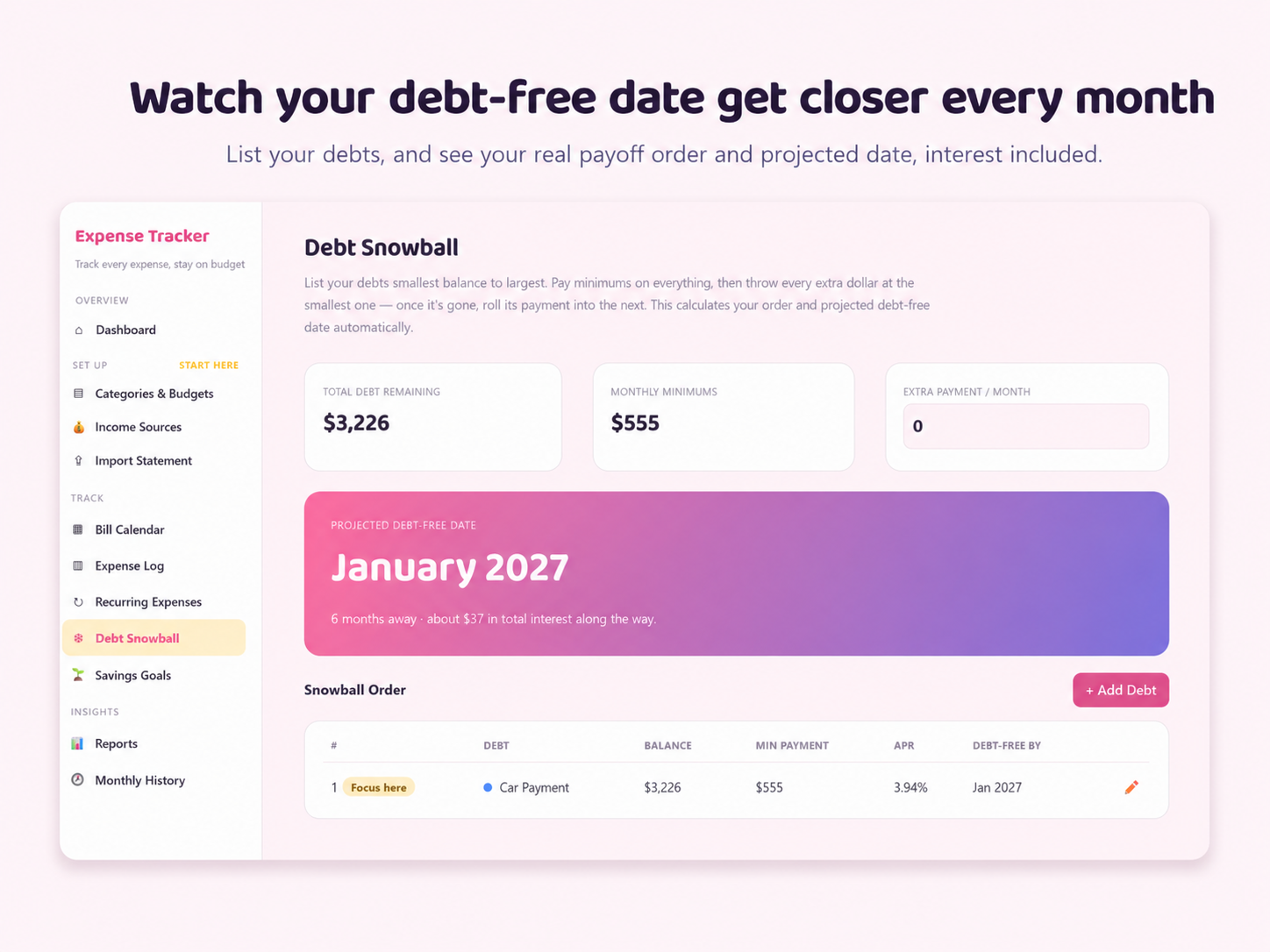
Keep balances, payments, and payoff priorities visible instead of scattered across statements.
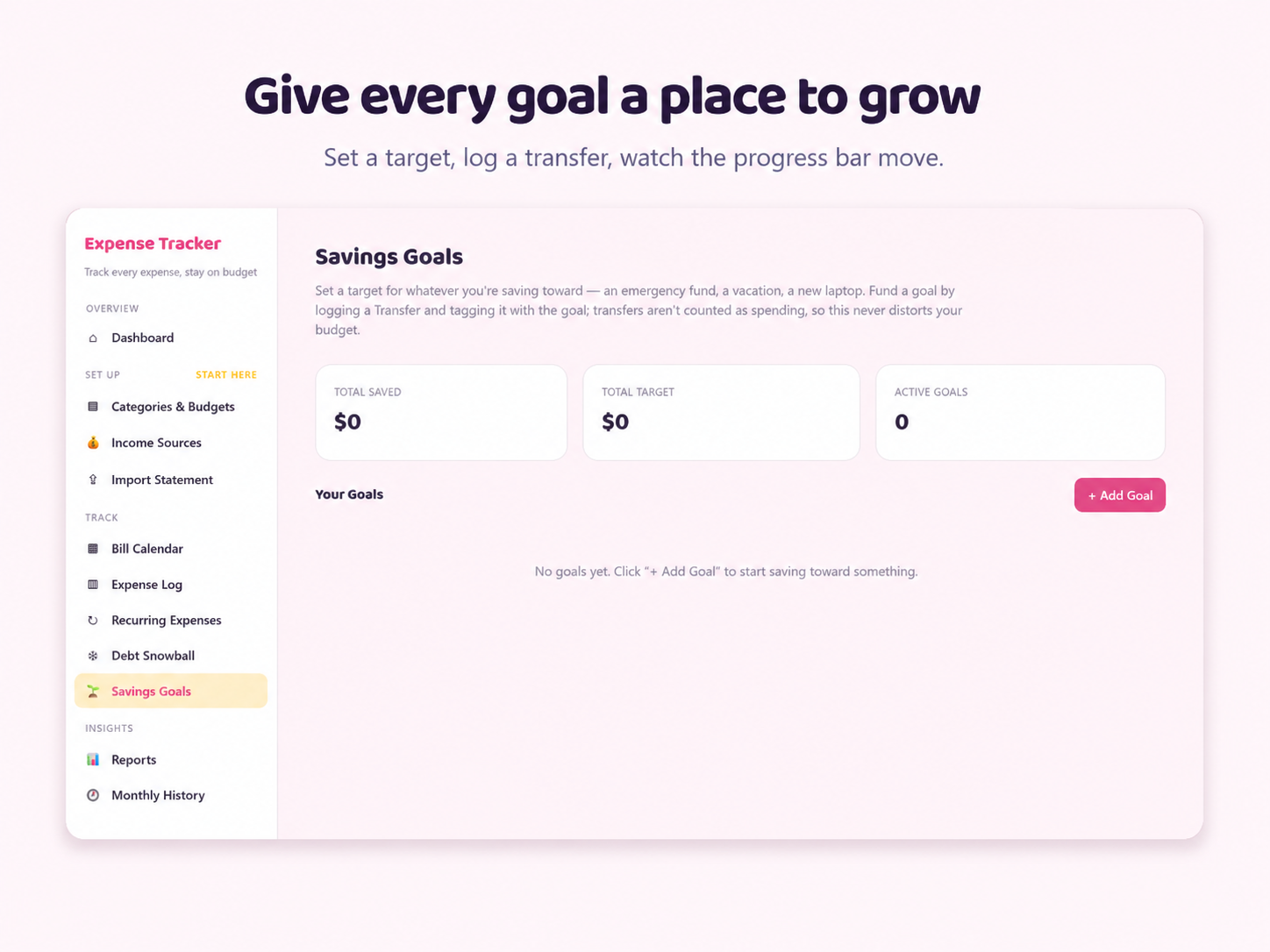
Track savings goals and see how your monthly choices move you closer to the finish line.
Your download includes the app installer and clear customer guides to help you get started, protect your data, and understand the main tools.
Get Expense TrackerNo. Transactions can be entered manually or imported from supported statement files. The app does not require your bank username or password.
No. The current Windows version is sold as a one-time digital purchase.
Your app information is stored locally on your computer. Use the built-in backup tools and keep backup copies somewhere safe.
This version is designed for Windows 10 and Windows 11. A Mac version is not currently included.
No. This is a digital download. After checkout, Payhip provides access to the customer ZIP containing the installer and guides.
Internet access is needed to purchase and download the app. The budgeting app itself is designed to work offline after installation.
Start organizing your spending, bills, savings, and debt with a private desktop app that keeps your data close.